
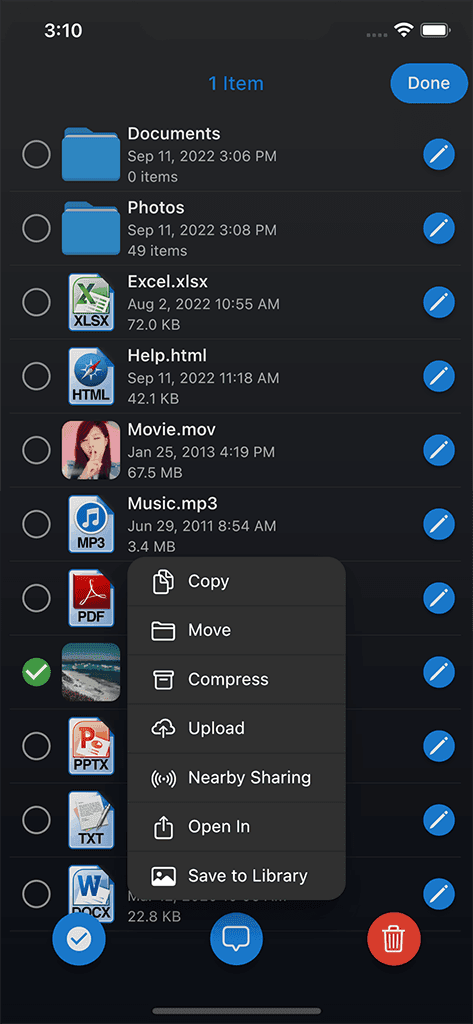
Computer transfer
Connect supported browsers, Finder, or Windows Explorer workflows to move files over the local network.
 Phone DriveFile Management
Turn your phone into a wireless file workspace for computer transfer, cloud connectors, previews, archives, and local organization.
Start with the free Apple edition; optional purchases are shown by the App Store and in the app.
Google Play
See current Google Play terms
AndroidOpen Google PlayAndroid capabilities and purchase terms may differ from iOS; review the current Google Play listing.
Official Sixbytes app. A linked listing may identify the seller as Sixbytes PLT or Eightythree Technology. Verify the app name and publisher shown by the store before downloading.
A file workspace, not a handoff
Phone Drive keeps files available on the phone and lets a nearby Mac or Windows PC connect through supported browser, Finder, or Windows Explorer workflows. It also brings supported cloud and server connectors into the same mobile workspace.
Wireless workspace tools
Connect supported browsers, Finder, or Windows Explorer workflows to move files over the local network.
Keep documents, media, and work files available on your device.
Browse supported Dropbox, OneDrive, Box, FTP, and WebDAV locations alongside local storage.
Open supported document, image, audio, video, archive, and text formats; exact coverage varies by platform and version.
Sort transfers into folders so temporary files do not become clutter.
Use supported archive operations and text editing without leaving the file workspace.
Product screenshots
Explore local storage, supported connectors, wireless transfer, and file previews.
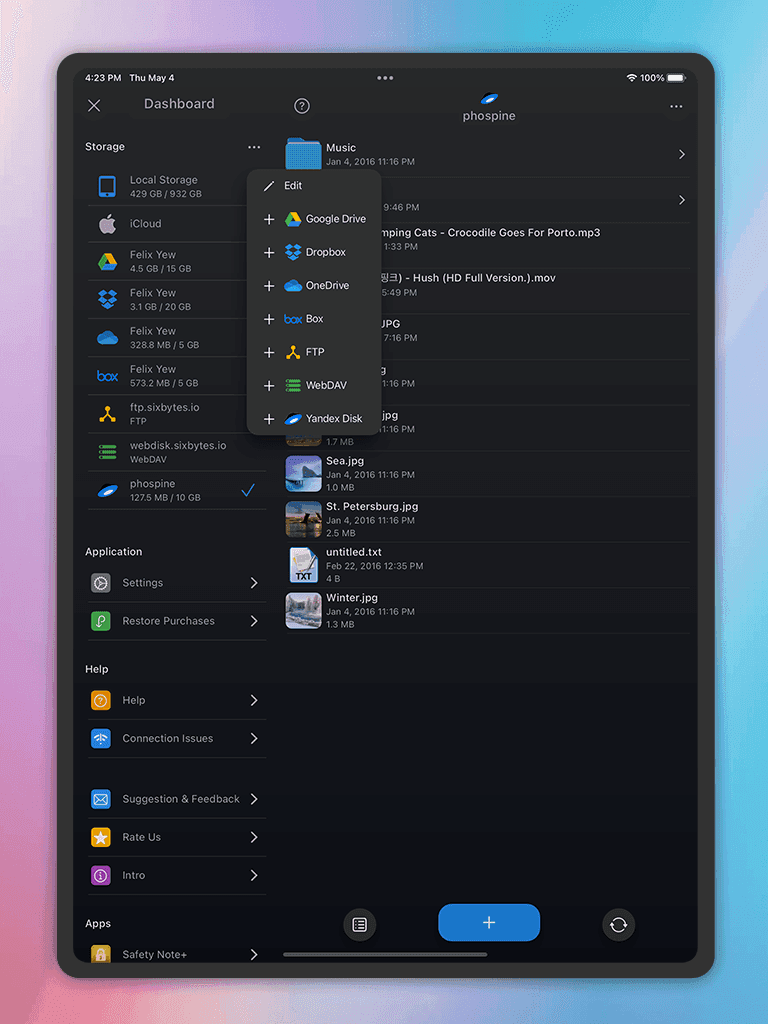
File browser
Browse and manage files across Dropbox, OneDrive, Box, FTP, WebDAV, and local storage.
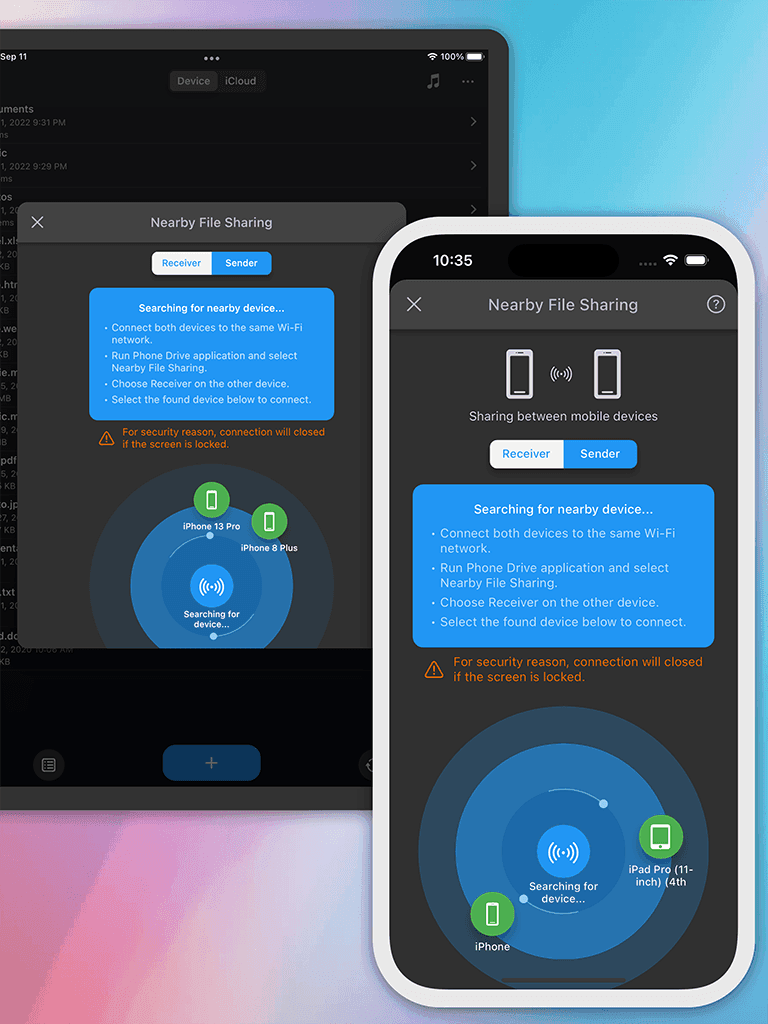
Wireless transfer
Transfer files wirelessly between your mobile device and computer without cables.
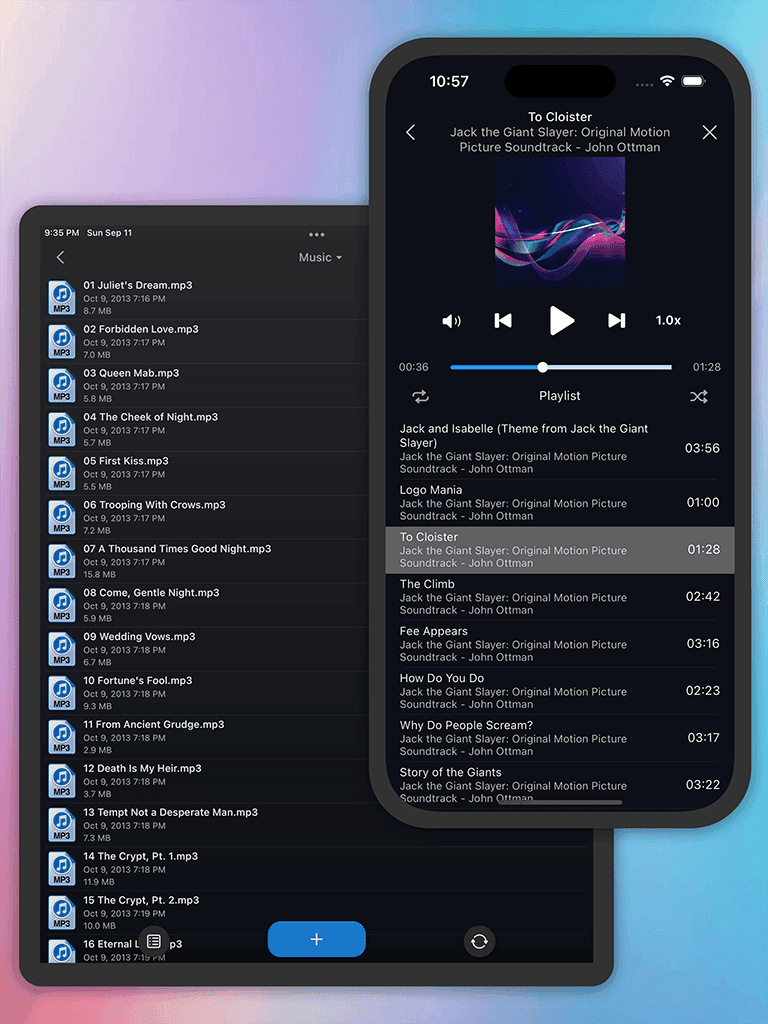
Preview and music player
Preview common file formats and play music directly from the built-in media player.
How it works
Designed for
Wireless file manager guide
Phone Drive is built for moving, opening, organizing, and keeping files on a mobile device. It connects a phone or tablet to a nearby computer and also brings supported cloud and server locations into the file-management workflow.
Connect from a Mac or Windows PC through a supported web browser, Finder, or Windows Explorer workflow while the devices share a suitable network. The desktop names describe connection methods; they do not mean Phone Drive installs a native Mac or Windows application.
The Android listing also describes browser, Finder, and Explorer access, but setup details and storage permissions can differ from iPhone and iPad.
Apple store descriptions list services such as Dropbox, OneDrive, Box, WebDAV, FTP, Yandex, and iCloud Drive. The Android listing describes a related connector set that also includes Google Drive.
Some connector access may be an in-app purchase, and the available providers are not guaranteed to match across editions. Check the exact service you need before choosing a download.
Phone Drive handles broad document, PDF, image, audio, video, archive, text, and source-code families. Current Apple listings include Microsoft Office and iWork formats, ZIP creation and extraction, media playback, and text or source editing.
Choose Phone Drive when the files should remain browsable in an ongoing mobile workspace. For a focused full-resolution photo transfer with metadata checks, compare File Sync instead.
Platform and edition comparison
Mac and Windows describe computers Phone Drive can connect to. They do not imply a native desktop app, and Android parity is not assumed.
| Capability | Apple FreeiPhone and iPad | Apple ProiPhone and iPad | Google PlayAndroid |
|---|---|---|---|
| Listing price | Free download; In-App Purchases | $4.99 USD; In-App Purchases | Confirm in Google Play |
| Computer connection | Browser / supported Finder or Explorer flow | Browser / supported Finder or Explorer flow | Browser workflow; verify current parity |
| Connectors | Dropbox, OneDrive, Box, FTP, WebDAV listed | Same connector family listed; limits unverified | Google Drive and related connectors listed; verify limits |
| Format families | Documents, images, audio, video, archives, text | Same broad families; exact limits unverified | Documents, images, audio, video, archives, text listed |
Store and price snapshot audited August 30, 2026 for the United States. Features and prices can change; verify the linked listing before purchase.
Purchase guidance
The audited store pages do not provide a maintainable feature-by-feature entitlement map, so this page does not imply that price is the only difference.
Product comparison
Choose Phone Drive for an ongoing mobile file workspace with storage, connectors, previews, archives, and computer access. Choose File Sync for a focused transfer-and-verify job.
| Feature | Phone Drive | File Sync |
|---|---|---|
| Primary job | Ongoing file workspace and wireless access | Focused local photo and file transfer |
| Connected sources | Local storage plus supported cloud and server connectors | Selected source and destination for a transfer |
| After the transfer | Keep browsing, previewing, editing, and organizing files | Verify delivered resolution, format, and metadata |
| Backup promise | File workspace; not presented as managed backup | Transfer utility; not continuous sync or managed backup |
Privacy, storage, and trust
Phone Drive is an ongoing mobile file workspace. Local-network transfers, connected cloud services, and files stored on the device follow different data paths.
Related guides
Frequently asked
Phone Drive lets you store, view, organize, and transfer files wirelessly across your devices.
No. Phone Drive is designed for wireless transfer workflows.
Yes. Phone Drive includes file viewing and media preview workflows for common file types.
It is for people who often move documents, media, or work files between mobile and desktop devices.
Download Phone Drive
Compare the separate Apple editions and confirm current Android capability details before installing.
Start with the free Apple edition; optional purchases are shown by the App Store and in the app.
Google Play
See current Google Play terms
AndroidOpen Google PlayAndroid capabilities and purchase terms may differ from iOS; review the current Google Play listing.
Official Sixbytes app. A linked listing may identify the seller as Sixbytes PLT or Eightythree Technology. Verify the app name and publisher shown by the store before downloading.