
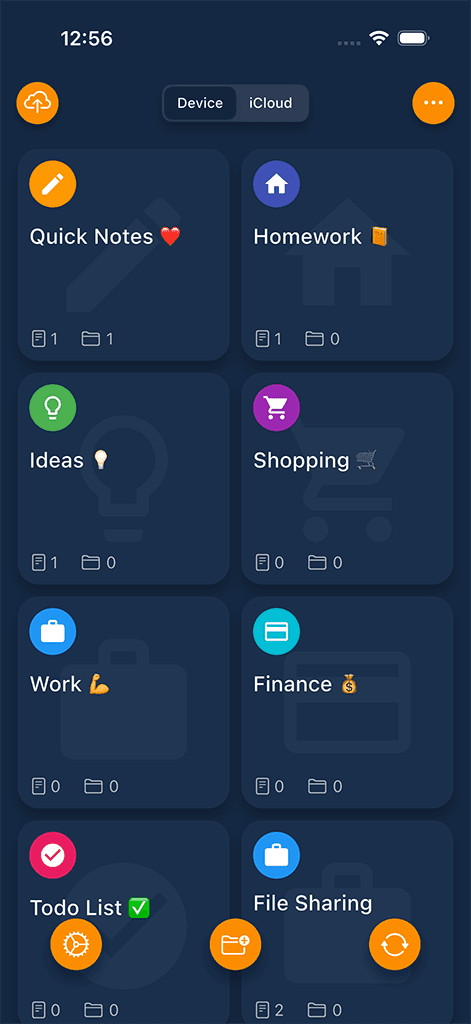
Private note space
Keep sensitive notes separate from everyday notes and shared accounts.
 Safety Note+Privacy
Locked private notes with decoy access, folder-specific locks, intruder reports, and platform-specific backup options.
Start with the free Apple edition; optional purchases are shown by the App Store and in the app.
Google Play
See current Google Play terms
AndroidOpen Google PlayGoogle Play pricing and any in-app purchase terms can vary by market; review them before installing.
Official Sixbytes app. A linked listing may identify the seller as Sixbytes PLT or Eightythree Technology. Verify the app name and publisher shown by the store before downloading.
Why locked notes
Safety Note+ gives journals, sensitive plans, confidential drafts, and private lists a dedicated locked space. Decoy access and selected-folder locks add separation beyond a standard note lock, while backup behavior depends on platform and settings.
Protection beyond one lock
Keep sensitive notes separate from everyday notes and shared accounts.
Open a separate decoy space when you need an alternate access path.
Unlock quickly with biometric security where your device supports it.
Apply additional protection to selected folders instead of treating every note exactly the same.
Review attempted access information where intruder reporting is supported and enabled.
Apple and Android backup paths are not presented as identical; confirm the method available on your device.
Product screenshots
Review how Safety Note+ separates private writing and adds protected access.
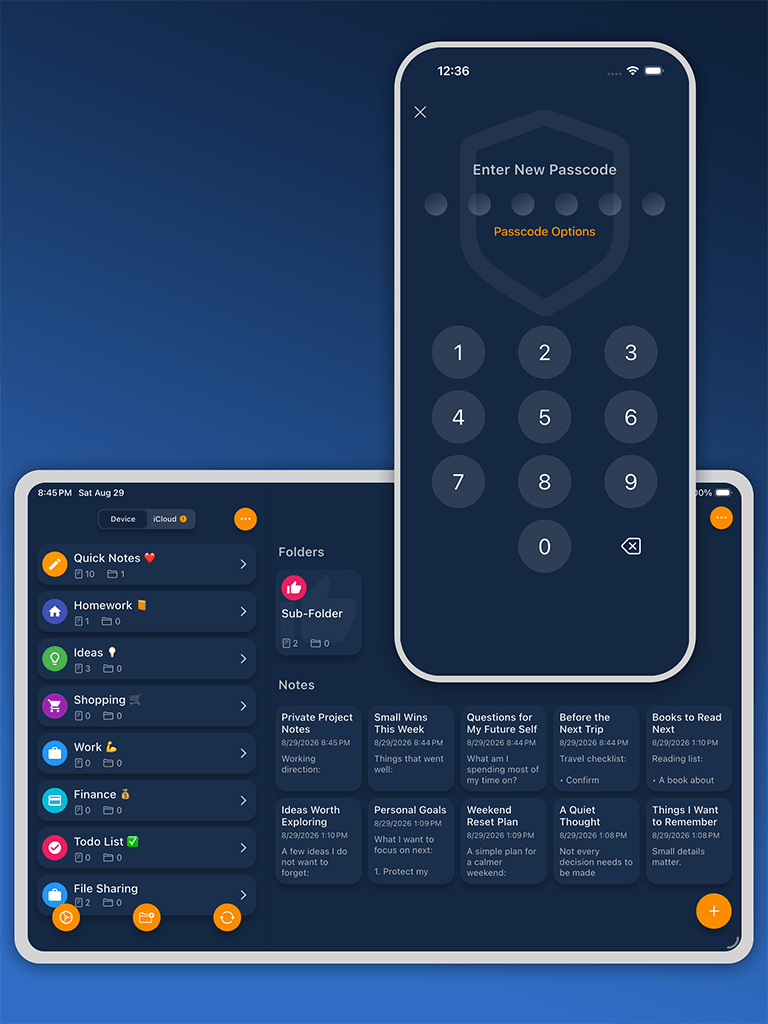
Private note library
Keep personal notes, lists, and sensitive ideas in a dedicated locked space.
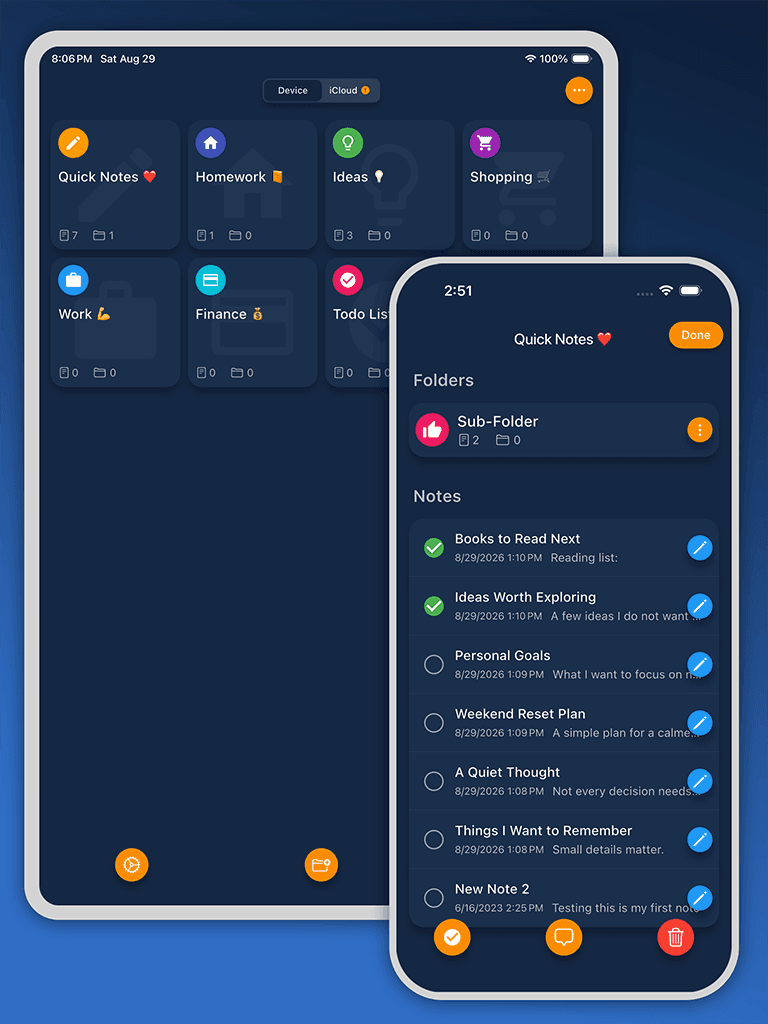
Organized folders
Use folders and simple structure to keep private information easy to find.
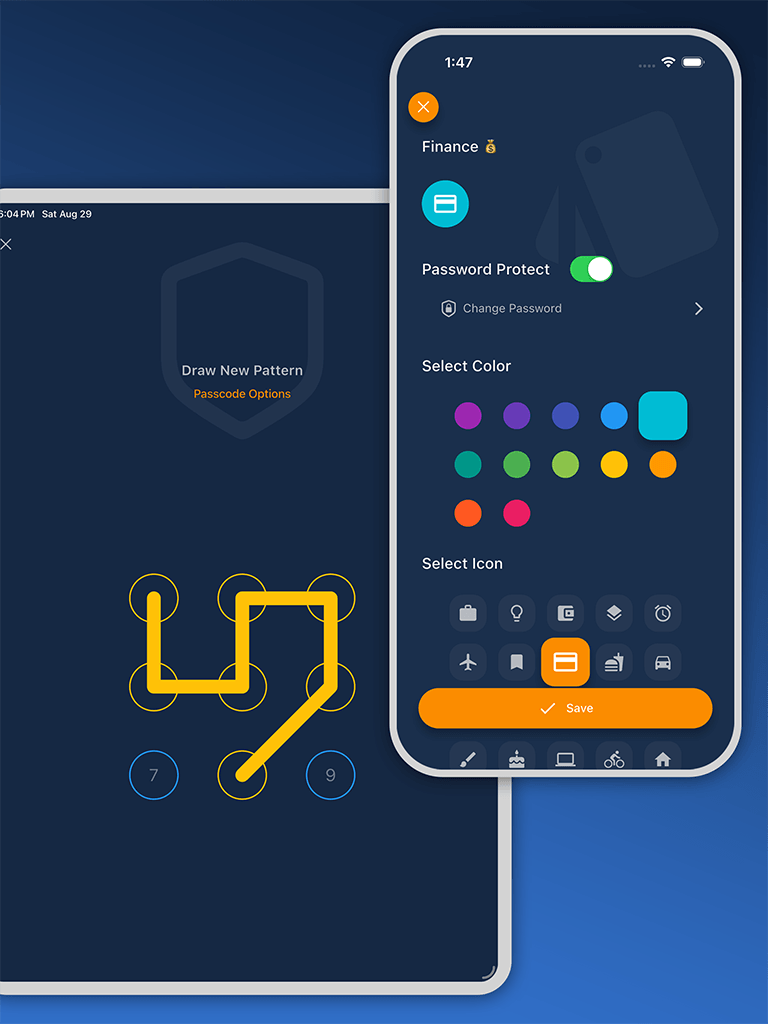
Quick secure access
Return to private notes with familiar passcode or biometric access where supported.
How it works
Designed for
Secure notes guide
Safety Note+ keeps confidential notes apart from a general-purpose notes library and adds layered access controls. It is designed for private journals, account details, work drafts, checklists, and other writing that benefits from a dedicated locked space.
Current listings describe passcode or pattern access, supported device biometrics, a decoy password, folder-level locks, and intruder reports. These controls serve different purposes: the main lock protects the app, while folder locks can separate especially sensitive groups of notes.
A decoy password provides an alternate space rather than revealing the primary one. Available lock designs, biometric behavior, and report details should be checked on the device and edition you plan to use.
Create and edit notes, group them in folders, search stored writing, and use supported sorting, move, copy, and auto-save tools. That makes the app suitable for both short confidential lists and longer private drafts.
Before relying on it for irreplaceable information, test how quickly you can find a note and how the app behaves after it is locked, backgrounded, or reopened.
The Apple listings describe iCloud-related backup and iTunes file-sharing paths, while the Android listing describes its own cloud backup and sharing workflow. Those descriptions do not establish identical formats or cross-platform restore behavior.
Confirm the destination, complete a test restore or export, and keep a separate recoverable copy before replacing a phone or removing the app.
Platform and edition comparison
Core store descriptions overlap, but backup methods and some protection details are platform-specific. Unverified parity is called out instead of assumed.
| Capability | Apple FreeiPhone and iPad | Apple ProiPhone and iPad | Google PlayAndroid |
|---|---|---|---|
| Listing price | Free download; In-App Purchases | $3.99 USD; In-App Purchases | Confirm in Google Play |
| Decoy password, folder locks, intruder reports | Listed; feature limits may apply | Listed; confirm current Pro scope | Listed; confirm current Android scope |
| Backup path | iCloud / cloud options where enabled | iCloud / cloud options where enabled | Different Android path; check current app |
| Biometric access | Face ID or Touch ID where available | Face ID or Touch ID where available | Device biometric support where available |
Store and price snapshot audited August 30, 2026 for the United States. Features and prices can change; verify the linked listing before purchase.
Purchase guidance
Apple Free and Apple Pro are separate listings. Backups and paid entitlements may not move the same way as local notes.
Product comparison
Choose Safety Note+ when your main need is private writing, locked lists, folders, and notes that should stay separate from regular note libraries.
| Feature | Safety Note+ | Standard notes app |
|---|---|---|
| Private note space | Dedicated app for sensitive notes and lists | Private notes may sit beside regular or shared notes |
| Access control | Passcode and biometric access where supported | Depends on note-level locking or account settings |
| Organization | Folders and search for private information | General organization mixed with everyday notes |
| Backup choices | Sync and backup workflows when enabled | Often tied to broader account sync settings |
Privacy, storage, and trust
Safety Note+ separates private writing from ordinary note libraries, but device locks, optional backup, and store purchases each follow their platform's controls.
Related guides
Frequently asked
Safety Note+ focuses on private notes, locked access, and dedicated organization for sensitive information.
Yes. Folders help keep private notes, lists, and personal information organized.
It supports device security features such as Face ID, Touch ID, or passcode where available.
Supported sync or backup workflows are optional. Apple may use iCloud-related paths, while Android behavior differs; check the current store listing and in-app settings for your platform.
It provides an alternate access path to a decoy space. It does not replace device security, a strong primary passcode, or a tested backup plan.
No. They are separate App Store listings. Review the current listing and in-app purchase or restore controls before choosing or moving between them.
Download Safety Note+
Compare Apple Free, Apple Pro, and Android, then confirm backup and purchase terms for your platform.
Start with the free Apple edition; optional purchases are shown by the App Store and in the app.
Google Play
See current Google Play terms
AndroidOpen Google PlayGoogle Play pricing and any in-app purchase terms can vary by market; review them before installing.
Official Sixbytes app. A linked listing may identify the seller as Sixbytes PLT or Eightythree Technology. Verify the app name and publisher shown by the store before downloading.