
Private media vault
A dedicated place for personal photos and videos.
 Safety Photo+VideoPrivacy
A private photo and video vault with protected albums, decoy access, and optional zero-knowledge encrypted backup and restore.
Start with the free Apple edition; optional purchases are shown by the App Store and in the app.
Google Play
See current Google Play terms
AndroidOpen Google PlayGoogle Play pricing and any in-app purchase terms can vary by market; review them before installing.
Official Sixbytes app. A linked listing may identify the seller as Sixbytes PLT or Eightythree Technology. Verify the app name and publisher shown by the store before downloading.
Why a dedicated vault
Safety Photo+Video separates sensitive media from the regular photo library, adds dedicated vault access, and offers optional backup and restore paths. This page helps you choose an edition; safetyphoto.app remains the deeper source for recovery, export, privacy, and support documentation.
Private-media controls
A dedicated place for personal photos and videos.
Supports familiar device security features where available.
Organize sensitive media into private albums.
Use a separate decoy access path where the feature is available in your app edition and version.
Current store copy describes optional backup that encrypts media before upload, with recovery material held by the user.
Create a recovery path before changing or losing a phone, then follow the documented restore process.
Product screenshots
Review the core private-media workflow before choosing a store edition.
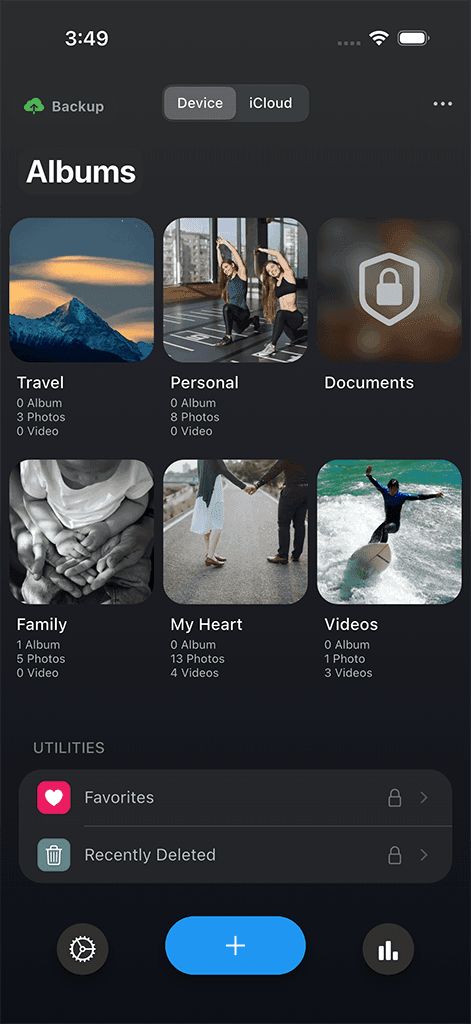
Vault home
A dedicated private space for photos and videos that should stay separate from the camera roll.
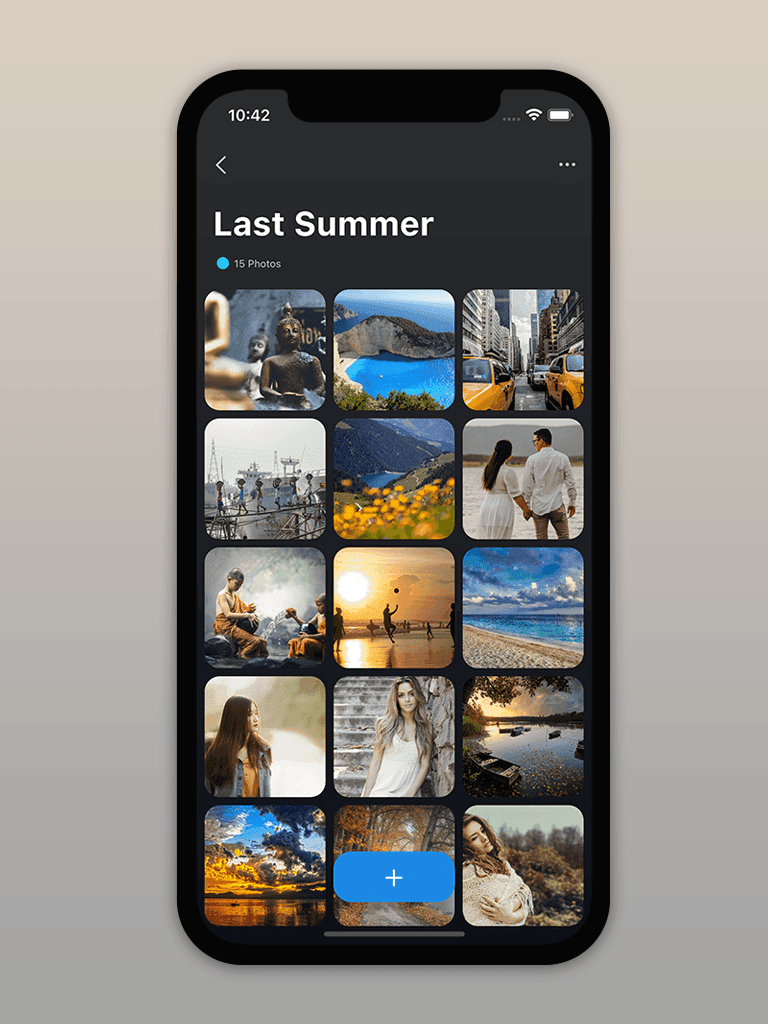
Private albums
Organize sensitive media into focused albums so personal memories stay easier to review.
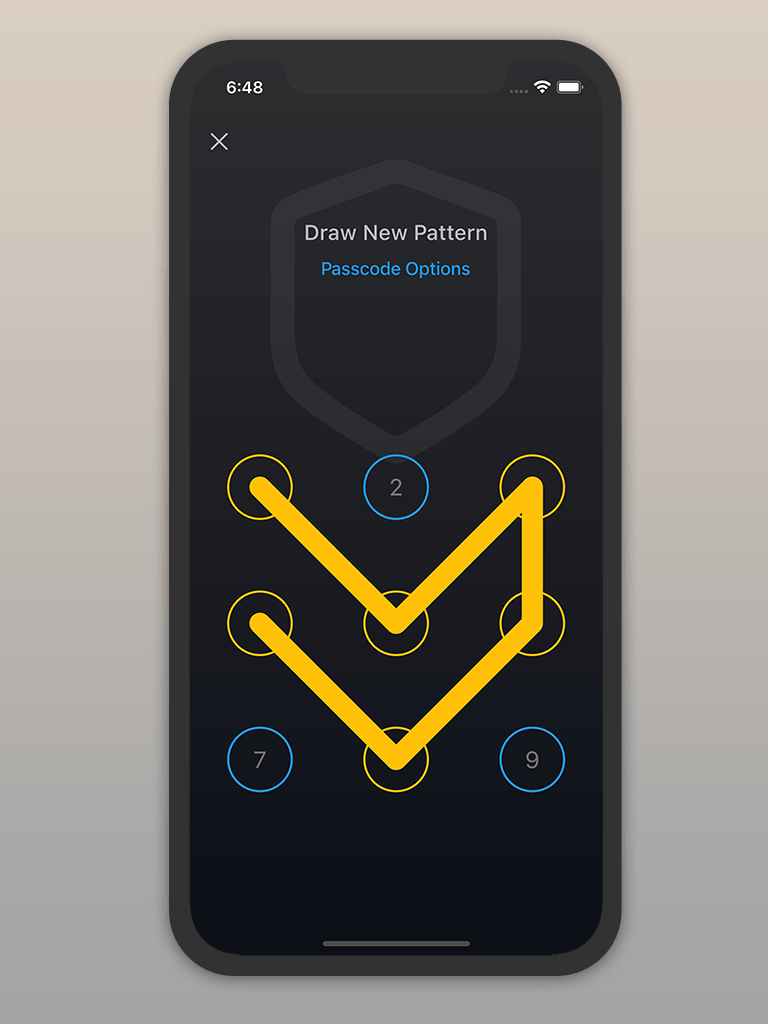
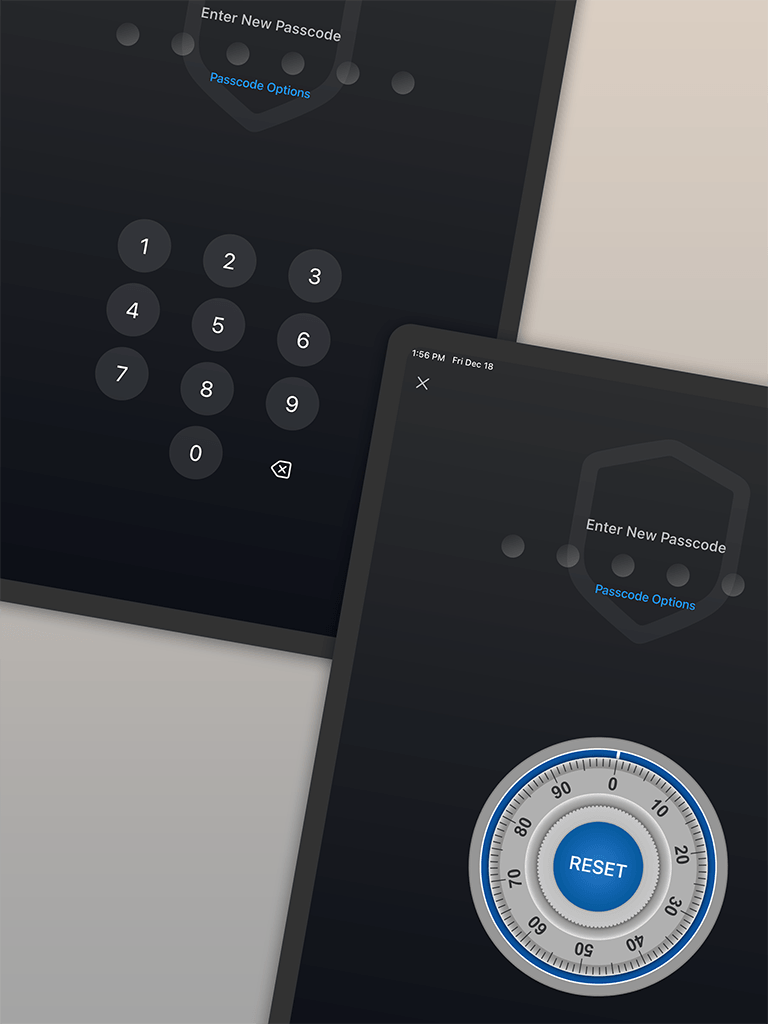
Secure access
Use familiar device protection workflows to get back into private media quickly.
How it works
Designed for
Private photo vault guide
Safety Photo+Video combines locked albums, decoy access, private capture, optional encrypted backup, and restore tools. The result is a more deliberate workflow than simply moving media into a hidden album.
Protect imported photos and videos behind the access methods available on your device, then organize sensitive media into separate private albums. Current store descriptions also list individual album passwords and an alternate decoy vault.
A private camera can capture media into the protected workflow without first leaving it in the everyday photo library. Exact biometric, passcode, pattern, and album-lock options can differ by platform and version.
The current listings describe an optional zero-knowledge backup in which supported vault media is encrypted before upload and the recovery material remains with the user. That design helps limit provider access to backed-up content.
It also makes recovery preparation important: keep the required key or recovery information safe, verify a backup completed, and follow the documented restore steps before changing or erasing a phone.
Use album tools to import, export, move, rename, and organize supported media. Store descriptions also list browser-based transfer over a local Wi-Fi connection for moving files between the vault and a computer.
Treat export and backup as different jobs. An export creates a copy you can inspect elsewhere; a backup is useful only when its restore path and recovery information have been tested.
Platform and edition comparison
The Apple editions are separate listings. Feature availability can change by version, so the store and in-app screens remain the final source for exact parity.
| Capability | Apple FreeiPhone and iPad | Apple ProiPhone and iPad | Google PlayAndroid |
|---|---|---|---|
| Listing price | Free download; In-App Purchases | $4.99 USD; In-App Purchases | Confirm in Google Play |
| Private albums and decoy access | Listed; limits may apply | Listed; confirm current Pro scope | Listed; confirm current Android scope |
| Backup and restore | Optional; check current entitlement | Optional; check current entitlement | Check current Android listing and app |
| Best starting point | Try before choosing paid access | Existing Pro users or separate paid-app buyers | Android installation |
Store and price snapshot audited August 30, 2026 for the United States. Features and prices can change; verify the linked listing before purchase.
Purchase guidance
The two Apple editions are separate apps. A paid download does not imply that every optional service is included forever.
Product comparison
Choose Safety Photo+Video when you need private albums, dedicated access controls, decoy access, private capture, and an optional documented backup-and-restore path—not merely a less-visible camera-roll album.
| Feature | Safety Photo+Video | Basic hidden album |
|---|---|---|
| Dedicated private space | Purpose-built photo and video vault | Private media may still sit near regular photo workflows |
| Organization | Private albums for sensitive media | Usually limited album or folder structure |
| Access control | Face ID, Touch ID, or passcode where supported | Depends on platform-level hidden album controls |
| Sync and backup | Optional zero-knowledge backup and documented restore when supported and enabled | Often tied to general photo library backup settings |
Privacy, storage, and trust
Vault content stays in the storage paths you choose. Optional Cloud Backup is described by the current store listings as zero-knowledge, so recovery depends on the key or recovery material you keep.
Documentation and support
Recovery keys, backup and restore, export, phone changes, privacy details, and product support need more depth than a store decision page. The dedicated product site remains the source for those instructions.
Related guides
Frequently asked
It is for keeping private photos and videos in a dedicated vault instead of mixing them with your regular camera roll.
Yes. Safety Photo+Video is designed around private albums so sensitive media stays easier to find.
The app supports device security features such as Face ID, Touch ID, or passcode where available.
Optional sync or backup paths are available in supported editions. Current store copy describes Cloud Backup as zero-knowledge; confirm the exact entitlement and recovery steps for your platform before relying on it.
Current product copy says vault media is encrypted before upload and the recovery material stays with the user. Keep that material safe, because a zero-knowledge design limits the provider's ability to recover it for you.
Use safetyphoto.app for the current backup, restore, export, phone-change, and support documentation.

Download Safety Photo+Video
Compare the audited US store prices and confirm the current terms in your storefront before installing.
Start with the free Apple edition; optional purchases are shown by the App Store and in the app.
Google Play
See current Google Play terms
AndroidOpen Google PlayGoogle Play pricing and any in-app purchase terms can vary by market; review them before installing.
Official Sixbytes app. A linked listing may identify the seller as Sixbytes PLT or Eightythree Technology. Verify the app name and publisher shown by the store before downloading.