
Files copied manually between devices
File management hub
Organize and synchronize files across your devices.
Learn practical ways to manage wireless transfer, document organization, local storage, file synchronization, and cross-device workflows.
Why this matters
File workflows get messy when transfers and sync are treated as afterthoughts.
Downloads, documents, project files, media, and backups can scatter across phones, tablets, computers, and cloud folders. A better file workflow makes movement and organization intentional.
Downloads left unsorted on mobile devices
Important folders with multiple conflicting versions
File tools
2 apps
Phone Drive handles transfer and storage; File Sync handles synchronization.
Workflow
Local-first
Keep local access and clear organization at the center.
Devices
Mobile + desktop
Support workflows that move between phone, tablet, and computer.
Common challenges
The patterns that make this harder than it should be
Transfers take too many steps
Moving files should not depend on cables, temporary emails, or confusing handoffs.
Downloads become clutter
A phone can quickly become a dumping ground without a simple folder system.
Versions drift apart
Manual copying creates uncertainty about which file is current.
Documents need context
Work files, media, and archives need names and folders that still make sense later.
How Sixbytes helps
Sixbytes file tools make movement and organization easier to understand.
The file workflow is split into practical jobs: transfer files when needed, keep local folders organized, and sync important folders intentionally.
Move files directly
Wireless transfer workflows reduce friction between phone, tablet, and computer.
Organize before archiving
Clear folders and previews help users keep downloads, documents, and media useful.
Sync what matters
Selective synchronization helps important files stay current without syncing everything.
Compare approaches
Match each app to the job it is meant to do
| App | Wireless transfer | File storage | Synchronization | Best for |
|---|---|---|---|---|
| Phone Drive | Core workflow | Core workflow | Not primary | Moving and viewing files |
| File Sync | Not primary | Supports organization | Core workflow | Keeping folders current |
Featured products
Relevant Sixbytes apps for this workflow

File Management · Wireless file manager
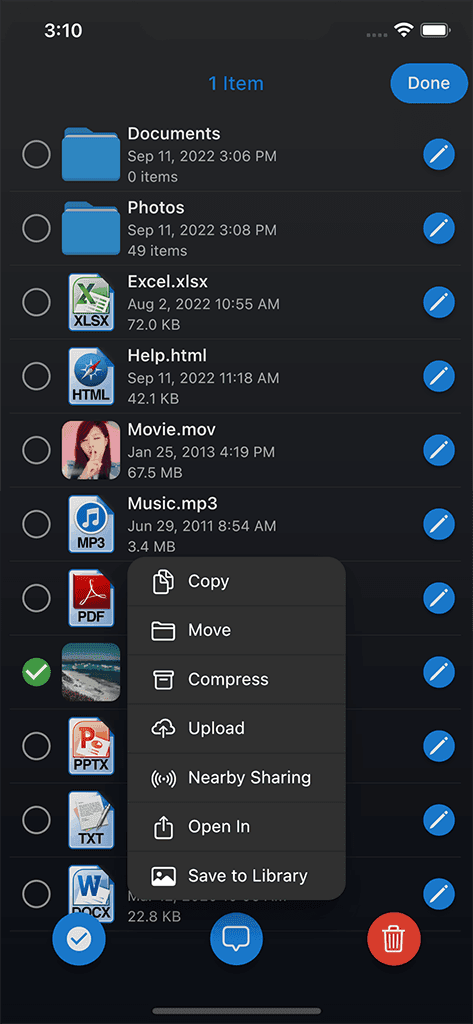
Phone Drive
Turn your phone into a wireless file workspace for computer transfer, cloud connectors, previews, archives, and local organization.
- Wireless file transfers
- Store and view files
- Cloud and server connectors
- Document and media formats
- Archives and text editing

File Management · Photo and file transfer
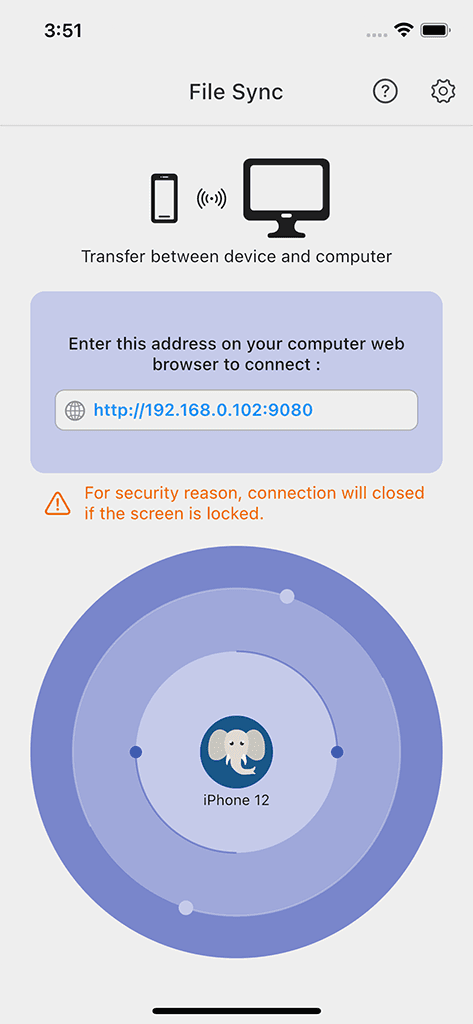
File Sync
Local full-resolution photo and file transfer with metadata preservation, format conversion, and supported Wi-Fi or USB paths.
- Local Wi-Fi transfer
- Full-resolution transfer
- Metadata preservation
- HEIC and HEVC conversion options
- Wi-Fi and supported USB workflows
Educational guides
Continue learning with practical resources
Productivity
Daily Planning Guide
Build a daily planning workflow that connects tasks, calendar events, reminders, and notes.
Published Mar 2, 2026 · 5 min readRead guide
 File Management
Organize Files on iPhone
Learn how to organize files on your iPhone with a simple folder system for documents, media, downloads, transfers, and work files that stays manageable.
Published Feb 16, 2026 · 6 min readRead guide
 Cloud Sync
Local Storage vs Cloud Backup
Understand the privacy, convenience, and recovery tradeoffs between local-first storage and cloud backup.
Published Feb 4, 2026 · 6 min readRead guide
Frequently asked
Questions about this solution
A good workflow separates temporary transfers, important documents, media, and archives so files are easy to find later.
Wireless transfer is useful when you need to move files directly between devices without cables or extra accounts.
File sync is useful for folders that need to stay current across devices over time.
Usually no. Selective sync helps keep important folders current without creating unnecessary clutter.
Phone Drive helps with wireless transfer and local file storage. File Sync helps keep important files organized and up to date.
Next step
Create a cleaner file workflow.
Explore Phone Drive and File Sync, then read practical guides for organizing files across devices.