
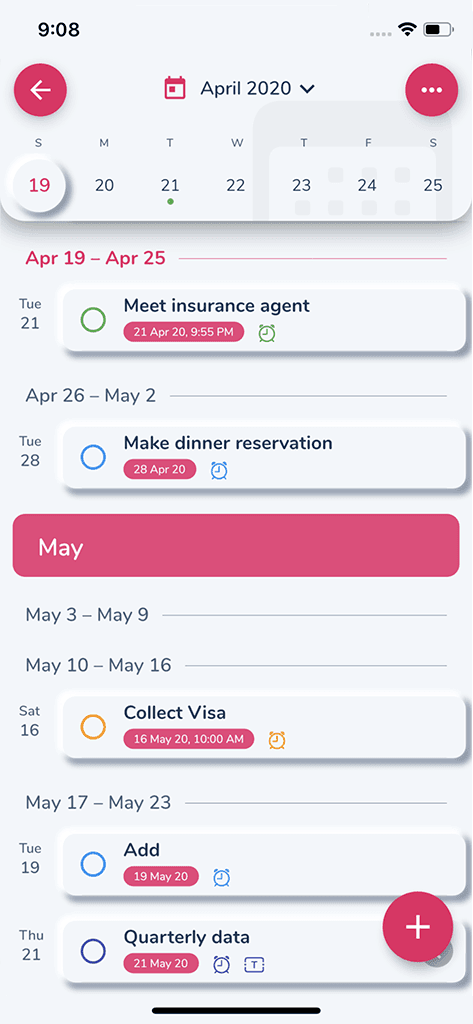
Task management
Capture tasks, organize priorities, and keep daily work visible.
 HibiDoProductivity
A task manager that helps you plan work around calendar commitments and keep notes near the work.
The free Apple listing may offer Premium inside the app; review current limits and subscription terms before upgrading.
Google Play
See current Google Play terms
AndroidOpen Google PlayThe Android listing may offer paid access inside the app; compare current limits, renewal terms, and support information in Google Play.
Official Sixbytes app. A linked listing may identify the seller as Sixbytes PLT or Eightythree Technology. Verify the app name and publisher shown by the store before downloading.
Calendar-aware planning
HibiDo brings tasks, calendar planning, reminders, projects, subtasks, and notes into one daily workflow. Habit availability should be confirmed for your current platform and version rather than assumed from older website copy.
One daily planning flow
Capture tasks, organize priorities, and keep daily work visible.
Plan around commitments so your task list reflects real time.
Use reminders and supported repeat options to keep routine work from disappearing.
Keep planning notes close to the tasks and projects they support.
Break larger goals into smaller steps that are easier to finish.
Keep supported planning data available across your devices.
Product screenshots
Review the task, calendar, and note surfaces that support daily planning.
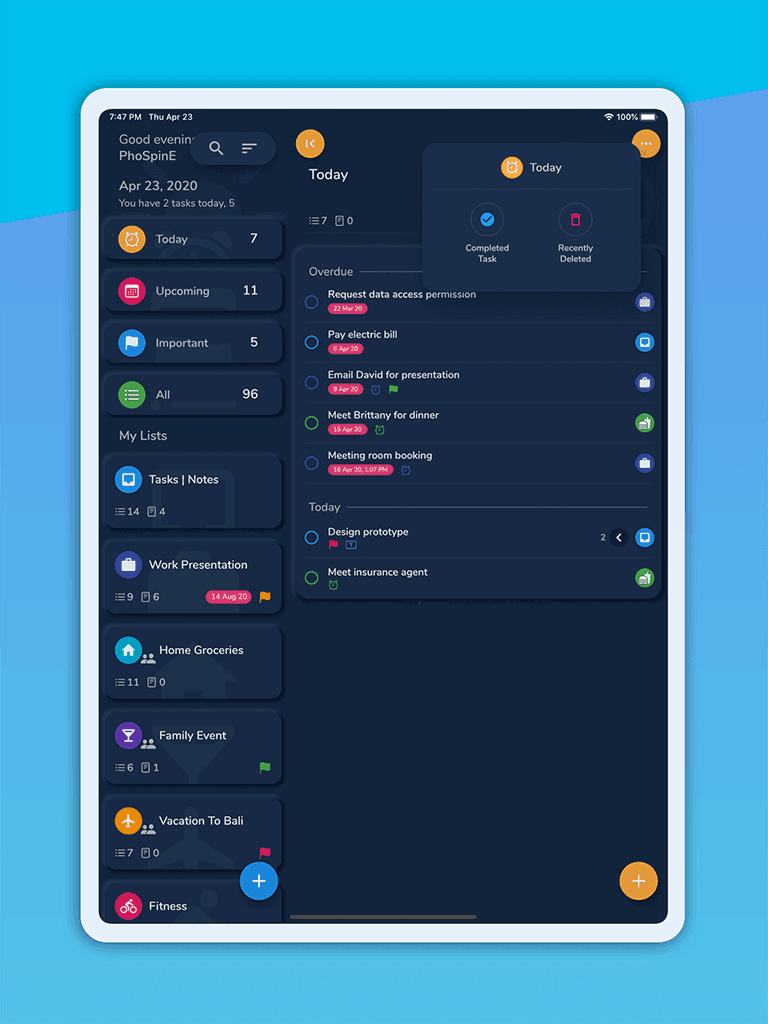
Daily task view
Bring tasks, reminders, and priorities into one practical planning surface.
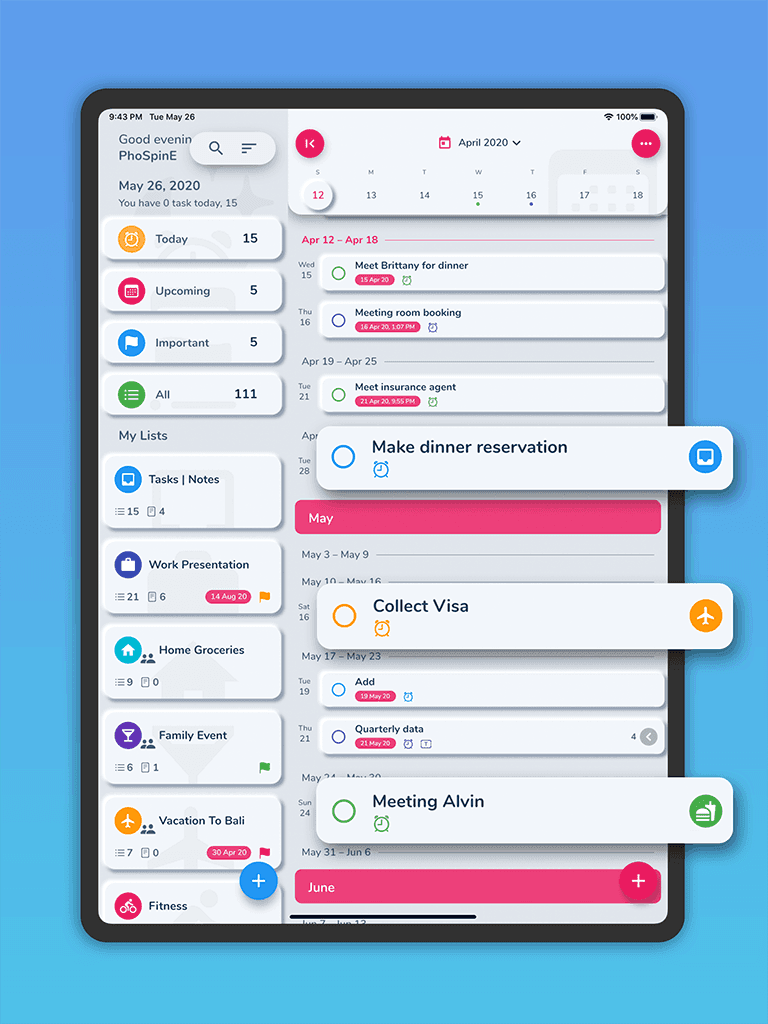
Calendar-aware planning
Review tasks alongside commitments so the day stays realistic.
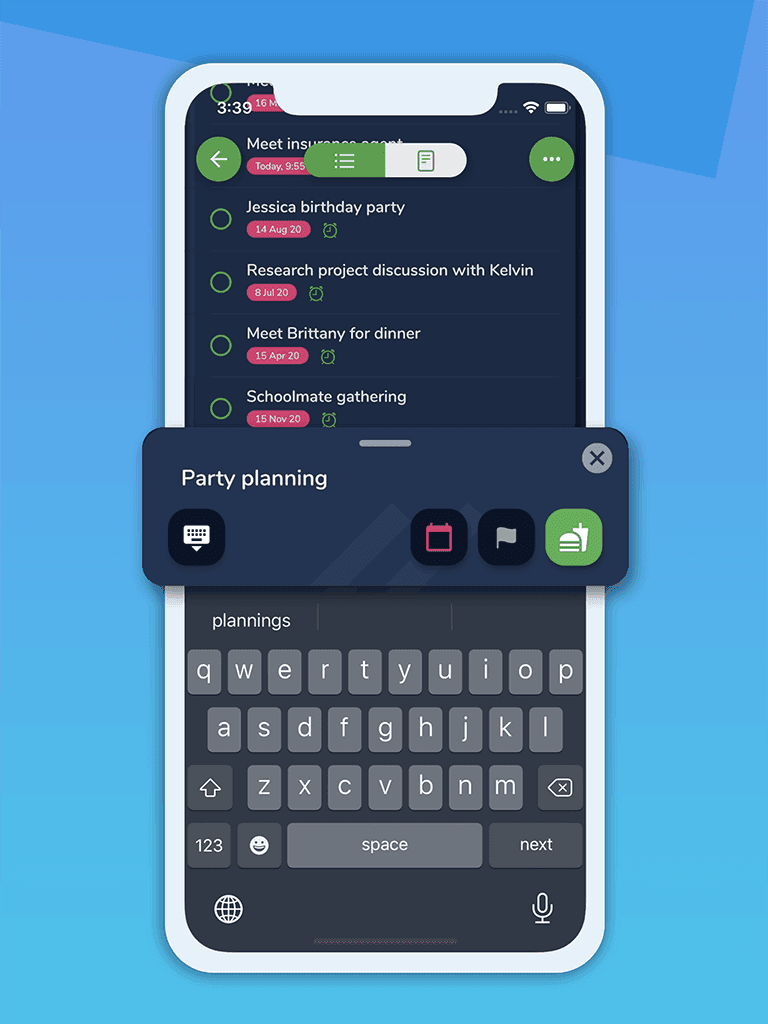
Notes with planning context
Keep follow-up details and project context close to the tasks they support.
How it works
Designed for
Daily planning guide
HibiDo brings tasks, reminders, calendar context, projects, and notes into one daily planning flow. It is intended to help you decide not only what needs doing, but when the work can realistically fit around existing commitments.
Capture tasks with due dates and reminders, review them beside calendar events, and use recurring tasks for work that repeats. Seeing commitments and actions together can expose an overloaded day before plans become deadlines.
Calendar access depends on the permissions and features available in your platform, edition, and paid tier, so confirm the live app behavior before moving an existing planning system.
Current store descriptions list priorities, recurring tasks, checklists, search, rich-text or Markdown notes, code snippets, list sharing, collaboration, and task assignment. Some capabilities may require Premium or may vary by platform.
This combination is useful when a project needs both actionable tasks and supporting notes without splitting daily planning across several apps.
HibiDo Free and HibiDo Pro are separate Apple downloads. Premium is paid access offered inside an app, not a third standalone listing; buying Pro should not be assumed to unlock every Premium entitlement.
The current Apple description associates Premium with unlimited lists, tasks and notes, multi-device sync, sharing, collaboration, automatic backup, and fuller calendar access. Verify the live paywall, trial, renewal terms, and exact limits before upgrading.
Platform and edition comparison
Free and Pro are separate Apple listings. Premium refers to paid access offered inside an app; verify its current limits, sync, collaboration, and calendar access in the live paywall.
| Capability | Apple FreeiPhone and iPad | Apple ProiPhone and iPad | Google PlayAndroid |
|---|---|---|---|
| Listing price | Free download; In-App Purchases | $2.99 USD; In-App Purchases | Confirm in Google Play |
| Premium path | May be offered in app | Do not assume Premium parity | Review current in-app terms |
| Tasks, calendar, and notes | Core scope listed; limits unverified | Core scope listed; limits unverified | Core scope listed; limits unverified |
| Sync and collaboration | Exact entitlement needs confirmation | Exact entitlement needs confirmation | Exact entitlement needs confirmation |
Store and price snapshot audited August 30, 2026 for the United States. Features and prices can change; verify the linked listing before purchase.
Purchase guidance
The listings describe the overall paid tiers but do not provide a durable Free / Pro / Premium entitlement matrix, so this page keeps uncertain boundaries explicit.
Product comparison
Choose HibiDo when you want tasks, calendar context, reminders, projects, and notes to support one everyday planning flow.
| Feature | HibiDo | Separate task, calendar, and notes apps |
|---|---|---|
| Daily planning | Tasks, notes, reminders, and calendar context reviewed together | Planning context split across multiple apps |
| Calendar context | Plan tasks around real commitments | Tasks may be planned without seeing available time |
| Projects and subtasks | Break larger work into manageable steps | Often requires another project or notes tool |
| Notes in context | Keep planning notes near the work they support | Notes can become detached from tasks and projects |
Privacy, storage, and trust
HibiDo handles planning content that may include personal information and calendar data. Its current Google Play disclosure should be reviewed directly before enabling sync or calendar access.
Related guides
Frequently asked
HibiDo is best for planning tasks around calendar commitments while keeping reminders, projects, and notes nearby.
Yes. HibiDo supports projects and subtasks so larger goals can be broken into manageable steps.
Yes. Notes can support tasks, planning, and everyday organization.
Supported sync workflows can keep planning data available across devices, but exact access, encryption, and paid-tier requirements need confirmation for your platform and version.
Free and Pro are separate Apple listings. Premium is paid access offered inside an app. Current limits, prices, collaboration, sync, and restore behavior should be confirmed in the live store and paywall before purchase.
Download HibiDo
Treat Premium as an in-app purchase path, not another standalone store listing, and confirm current limits before paying.
The free Apple listing may offer Premium inside the app; review current limits and subscription terms before upgrading.
Google Play
See current Google Play terms
AndroidOpen Google PlayThe Android listing may offer paid access inside the app; compare current limits, renewal terms, and support information in Google Play.
Official Sixbytes app. A linked listing may identify the seller as Sixbytes PLT or Eightythree Technology. Verify the app name and publisher shown by the store before downloading.