
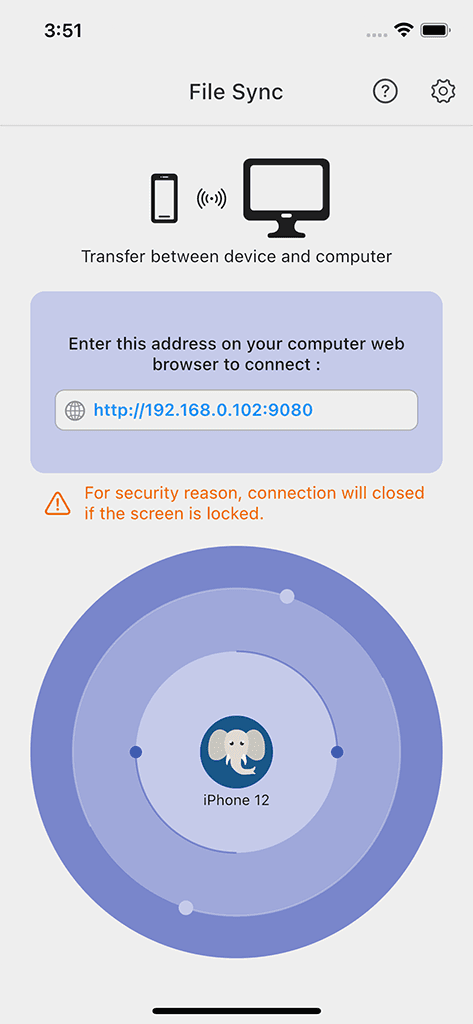
Photo and video transfer
Move supported media at full resolution between phones, tablets, and computers.
 File SyncFile Management
Local full-resolution photo and file transfer with metadata preservation, format conversion, and supported Wi-Fi or USB paths.
The Apple listing is free to download with In-App Purchases; review subscription and cancellation terms before upgrading.
Google Play
See current Google Play terms
AndroidOpen Google PlayGoogle Play pricing and feature terms can vary; confirm Android transfer capabilities before purchasing access.
Official Sixbytes app. A linked listing may identify the seller as Sixbytes PLT or Eightythree Technology. Verify the app name and publisher shown by the store before downloading.
Transfer integrity
File Sync moves selected photos, videos, documents, music, and other files between mobile devices and computers. It is a focused transfer utility—not continuous synchronization or a managed backup service—so you remain responsible for verifying the destination and keeping recoverable copies.
Local transfer controls
Move supported media at full resolution between phones, tablets, and computers.
Use a browser on the same network to upload or download selected files.
Preserve supported metadata, including EXIF details, instead of treating every export as a flattened copy.
Store, view, rename, move, delete, and share supported files in the app.
Use supported HEIC-to-JPG and HEVC-to-MP4 conversion paths when the destination needs more common formats.
Choose a local browser workflow or a supported USB path; exact USB availability varies by platform and version.
Product screenshots
Review selection, transfer, and local organization before moving an important batch.
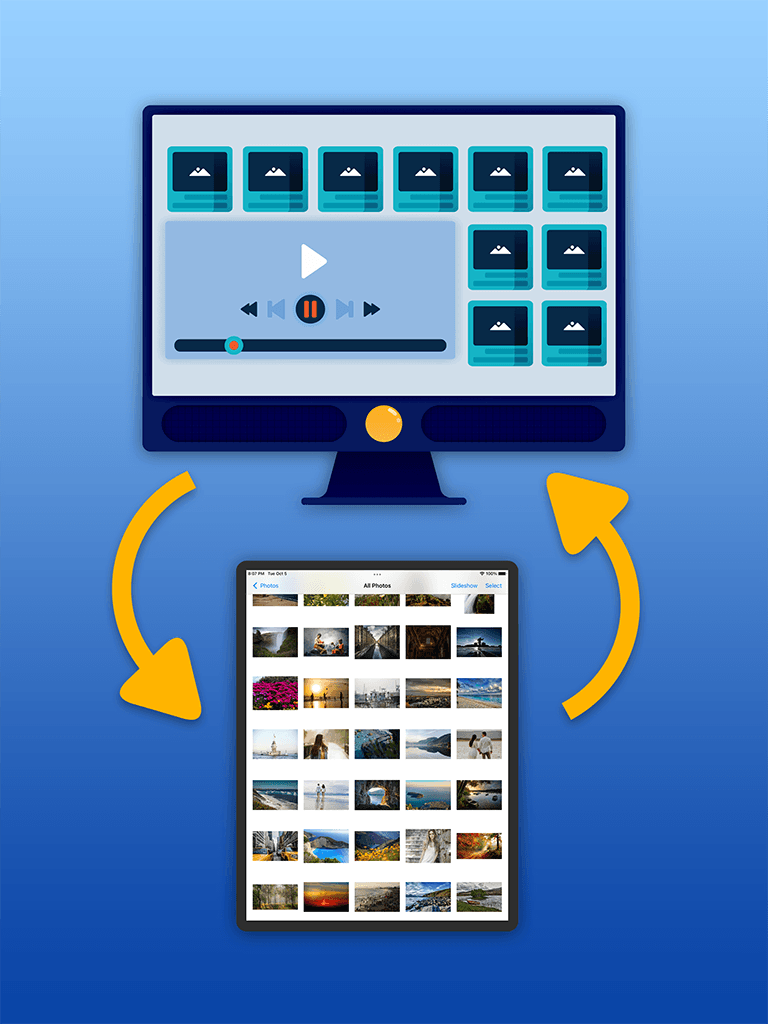
File transfer to PC
Transfer photos, videos, documents, and other files between your mobile device and PC.
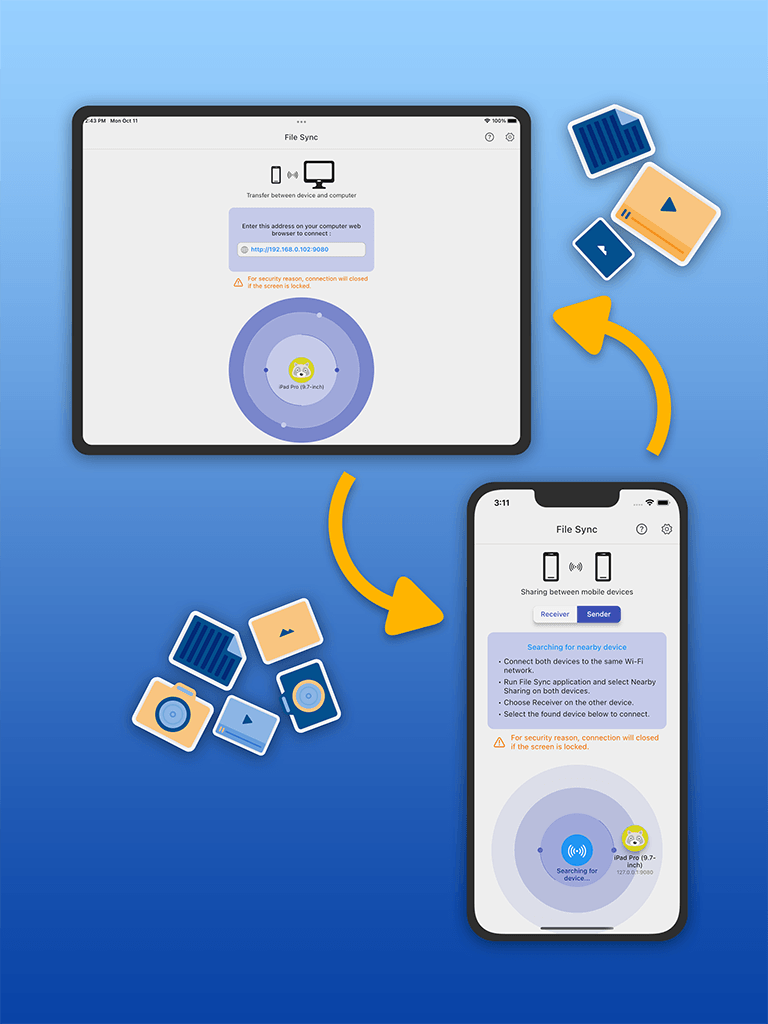
File sharing
Share files quickly with other people and supported apps from one convenient place.
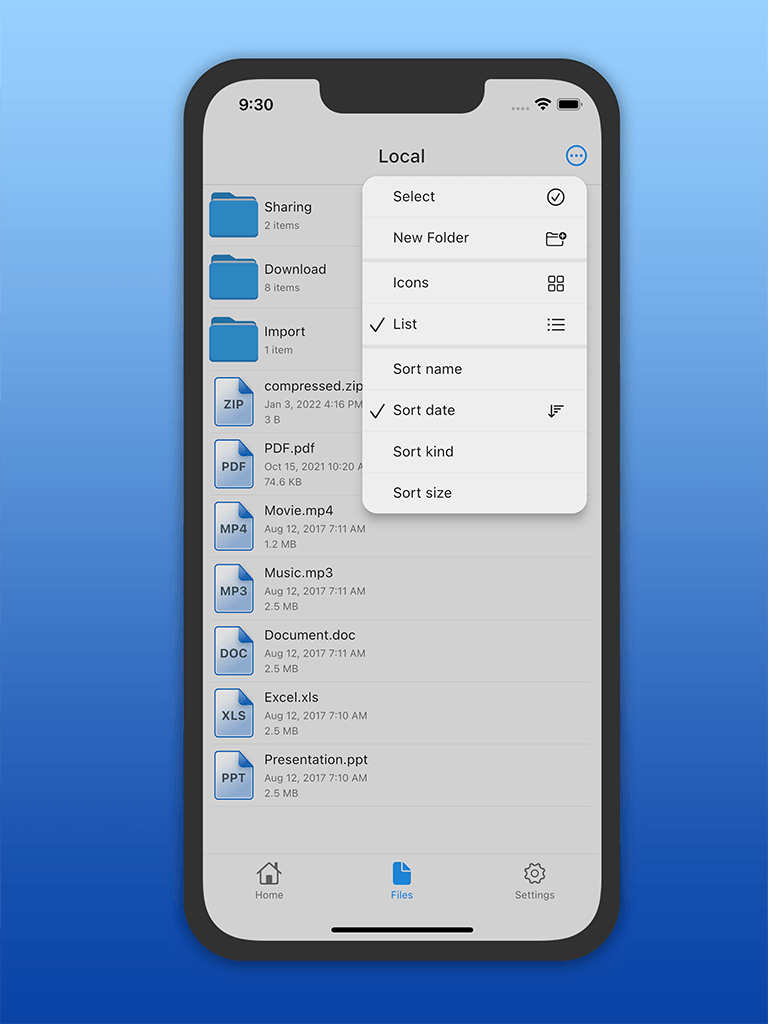
File organizer
Create folders and organize files so documents and media stay tidy and easy to find.
How it works
Designed for
Local transfer guide
File Sync is a local transfer utility for moving selected photos, videos, and files between mobile devices and computers. It focuses on transfer quality, metadata, format handling, and verification rather than promising continuous cloud sync or managed backup.
The current Apple and Google Play descriptions list local Wi-Fi and USB transfer paths for supported mobile-to-computer workflows. Browser access is described for Windows, Mac, and Linux, without requiring content to pass through an external storage server for the local-network flow.
Connection steps and USB requirements can differ by phone, operating system, cable, and browser. Confirm the destination has opened the transferred files before disconnecting or deleting originals.
Both current store descriptions list full-resolution transfer without quality loss, preservation of supported EXIF and location metadata, and RAW movement in both directions. Actual results still depend on the source file, permissions, destination software, and supported format.
Verify a representative sample after transfer: compare dimensions, file size, capture date, location fields, and whether the destination can decode the original file.
The Apple listing describes HEIC-to-JPG and HEVC-to-MP4 conversion plus Live Photo handling. Equivalent Android conversion options are not claimed here because the current Google Play description does not establish the same scope.
Use conversion for compatibility and keep an original when maximum fidelity or future editing matters. A completed transfer is still not a true backup until another recoverable copy is maintained and tested.
Platform and edition comparison
File Sync has one Apple listing and one Android listing. Both currently describe Wi-Fi, USB, full-resolution, metadata, and RAW transfer; conversion scope is not assumed to be identical.
| Capability | Apple FreeiPhone and iPad | Google PlayAndroid |
|---|---|---|
| Listing price | Free download; In-App Purchases | Confirm in Google Play |
| Local Wi-Fi and browser access | Listed for supported computer browsers | Listed for supported computer browsers |
| USB transfer | Supported path; verify device requirements | Supported path; verify device requirements |
| Resolution, metadata, and RAW | Full resolution, EXIF, and RAW support listed | Full resolution, EXIF, and RAW support listed |
| HEIC / HEVC conversion | HEIC→JPG and HEVC→MP4 options listed | Not established by the current listing |
Store and price snapshot audited August 30, 2026 for the United States. Features and prices can change; verify the linked listing before purchase.
Purchase guidance
The Apple app is a free download with In-App Purchases; current subscription prices and entitlement limits were not verified in the audit.
Product comparison
Choose File Sync to move a selected batch locally and verify resolution, metadata, and format. Choose Phone Drive when the phone should remain an ongoing file workspace.
| Feature | File Sync | Phone Drive |
|---|---|---|
| Primary job | Focused local transfer and verification | Ongoing file workspace and wireless access |
| Transfer proof | Full resolution, metadata, RAW, and conversion options where supported | Broad preview, connector, archive, and organization workflow |
| Connection path | Local Wi-Fi or supported USB | Wireless computer access plus supported connectors |
| Backup promise | Not continuous sync or a managed backup lifecycle | Not presented as managed backup |
Privacy, storage, and trust
For local Wi-Fi transfer, selected files move across the nearby network without requiring an external upload. That does not create a continuous sync relationship or a managed, restorable backup lifecycle.
Related guides
Frequently asked
File Sync transfers photos, videos, documents, music, and other files between supported mobile devices and computers.
Yes. Its current store listings describe direct transfer over a local Wi-Fi network and USB.
Yes. Current versions include local storage and file-management operations for supported files.
Yes. The app can connect to browsers on Windows, Mac, and Linux for supported local-transfer workflows.
No such promise is made here. File Sync is positioned as a selected-file transfer utility. Verify transferred files and maintain a separate recoverable backup before deleting originals.
Current product information lists full-resolution transfer, supported metadata and RAW handling, plus HEIC-to-JPG and HEVC-to-MP4 options. Exact support can vary by platform and version.
Download File Sync
Check current purchase terms and platform-specific Wi-Fi, USB, metadata, and conversion support before starting a large transfer.
The Apple listing is free to download with In-App Purchases; review subscription and cancellation terms before upgrading.
Google Play
See current Google Play terms
AndroidOpen Google PlayGoogle Play pricing and feature terms can vary; confirm Android transfer capabilities before purchasing access.
Official Sixbytes app. A linked listing may identify the seller as Sixbytes PLT or Eightythree Technology. Verify the app name and publisher shown by the store before downloading.