
Privacy
How to Keep Private Videos Safe on iPhone
Protect private iPhone videos with a strong device passcode, locked storage, careful sharing, and a separate, tested recovery copy.
The safest practical setup for private videos on iPhone combines four controls: a strong device passcode, a storage location that requires authentication, careful control of sharing and cloud copies, and a separate recovery copy for anything irreplaceable. Apple's Hidden album is locked by default on current iOS versions and is suitable for keeping occasional items out of the main library. A dedicated vault can add separate organization and app-specific controls, but only if you understand its import, export, deletion, sync, and backup behavior. Neither option protects you from data loss by itself.
Start with the iPhone itself
Before choosing an album or app:
- Use a strong device passcode rather than a short or easily guessed code.
- Turn on Face ID and require it for the storage location you use.
- Install current iOS security updates.
- Review which people know the device passcode.
- Check whether lock-screen previews, shared albums, or automatic uploads expose information you intended to keep private.
Biometric unlock is convenient, but the device passcode remains an important fallback. Someone who knows that passcode may be able to access device-protected content.
Choose between the Hidden album and a vault
Apple says hidden photos and videos move to the Hidden album, disappear from the main library and widgets, and require Face ID, Touch ID, or the device passcode to open on current systems. The album can also be removed from view in Photos settings. Read Apple's current Hidden album instructions.
| Need | Hidden album | Dedicated vault |
|---|---|---|
| Hide a few items from the main Photos view | Good fit | May be unnecessary |
| Separate passcode or app-specific lock choices | Uses device authentication | Depends on the vault |
| Private albums and a larger organized library | Limited | Often a better fit |
| Export and migration workflow | Uses the Photos ecosystem | Must be checked before relying on the app |
| Recovery | Follows Photos and iCloud settings | Depends on local storage, sync, and backup choices |
The word “vault” is not a security guarantee. Check the current privacy policy and product documentation for any app you consider.
Move videos without losing the only copy
Use a non-sensitive test video before moving important media:
- Import the test into the chosen vault.
- Play it from start to finish and confirm the audio.
- Export it again and compare duration and quality.
- Lock the phone, reopen the app, and test its access controls.
- Confirm what appears in the app switcher, search, notifications, and sharing sheets.
- Test the documented restore path on another device if the app supports one.
Only after those checks should you decide whether to remove the Photos-library original. Remember that Apple keeps deleted Photos items in Recently Deleted for 30 days unless you permanently remove them sooner, and deletions can apply across devices using iCloud Photos. See Apple's guide to deleting and recovering photos and videos.
Treat sync and backup as different jobs
- Local storage keeps the working video on the iPhone. It can be lost with the device or app data.
- Sync keeps changes current across locations. A deletion may propagate.
- Backup keeps a recovery copy intended for restoration after loss or damage.
For important videos, use at least two verified copies in different failure domains—for example, the working private library plus an encrypted computer backup or a documented app backup. Do not call a second synchronized view a backup unless you can recover an older or deleted item from it.
Reduce accidental exposure
Private videos can leak through ordinary workflows even when the main file is locked:
- Avoid sending them through messaging apps that create another copy.
- Review shared albums and family or partner access.
- Remove identifying text from filenames when it is not needed.
- Check thumbnails and recent-item views before lending the phone.
- Be cautious with screen recordings, AirPlay, external displays, and automatic media import.
- Confirm the recipient before sharing and use the narrowest sharing method available.
Metadata such as capture time and location may also travel with an original file. Decide whether that context is necessary before sharing.
Using Safety Photo+Video
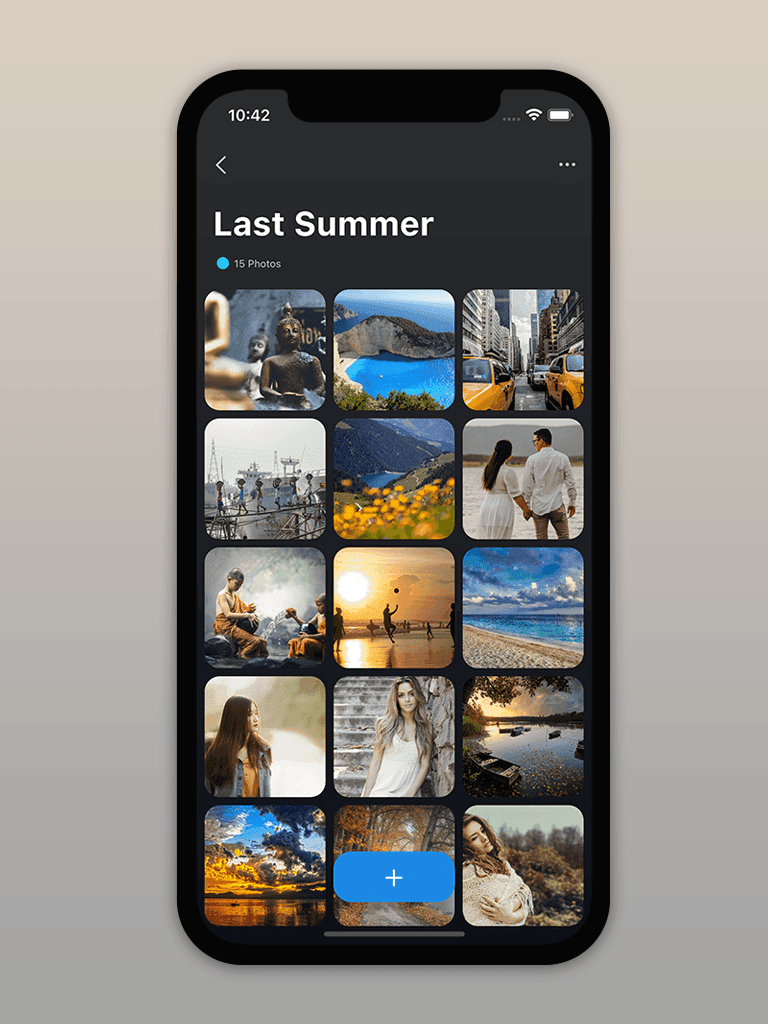
Safety Photo+Video is Sixbytes' dedicated private photo and video vault. Its current official listings describe private albums, biometric or passcode access, import and export, and optional encrypted backup. Feature availability can differ by platform and version, so confirm the exact behavior on the official Safety Photo+Video site before moving your only copy.
The goal is not merely to hide a thumbnail. It is to know who can open the video, where every copy exists, how it can be recovered, and how to remove it safely when it is no longer needed.
Frequently asked questions
Does hiding a video remove it from iCloud Photos?
No. When iCloud Photos is enabled, Apple says a video hidden on one device is also hidden on the other devices using that library. Hiding changes its visibility; it does not create an offline backup or remove it from iCloud.
Should I delete the original after importing a video into a vault?
Only after opening the vault copy, checking the full video, confirming audio and quality, and verifying the recovery plan. Also check Recently Deleted if your goal is to remove the Photos-library copy.
Is Face ID alone enough to protect private videos?
Face ID is an access control, not a backup or a complete privacy plan. Use a strong device passcode, keep iOS updated, review sharing and cloud settings, and maintain a separate recovery copy for irreplaceable videos.
About the author
The Sixbytes Team writes from product documentation and current platform guidance. Product-specific guides disclose the Sixbytes relationship and link to official sources when behavior can change by operating system, app version, or storefront.
About Sixbytes