
Comparisons
Best Photo Vault Apps for iPhone and Android: How to Choose
Choose a photo vault app by testing its privacy controls, original-file export, backup, recovery, maintenance, and total cost before trusting it.
The best photo vault app for iPhone or Android is the one whose storage, lock, export, backup, and recovery behavior you have tested and can explain. Start with two or three actively maintained apps from identifiable developers. Reject any app that lacks a clear privacy policy, standard-file export, current support information, or documented recovery process. Then import non-sensitive photos and a long video, test locking and app-switcher privacy, export the originals, and restore a backup on another device if supported. Choose based on that evidence—not a dramatic security label, a feature count, or ratings alone.
Publisher disclosure
Sixbytes publishes Safety Photo+Video. This guide is a buying framework, not an independent ranking, and it does not claim that one app is best for every person or threat model.
Build a shortlist before installing
For each candidate, check:
- The developer and seller are clearly identified.
- The privacy policy matches the store's data-safety disclosures.
- The app has recent maintenance updates.
- Support and account-recovery instructions are accessible.
- The app explains local storage, sync, and backup separately.
- Original files can be exported in standard formats.
- Pricing and subscription terms are visible in the official store.
- The platform and operating-system requirements match your devices.
Remove abandoned or unclear apps from the shortlist even if old reviews are positive.
Compare the controls that matter
| Criterion | What good evidence looks like | Warning sign |
|---|---|---|
| Storage | Clear explanation of device and cloud locations | “Secure cloud” with no storage detail |
| Access | Passcode plus supported biometric options and auto-lock behavior | Lock behavior is undocumented |
| Privacy surfaces | App switcher, notifications, search, and thumbnails are considered | Private content appears outside the vault |
| Import and deletion | App explains whether it copies or moves originals | You cannot tell which copy is authoritative |
| Export | Original files can leave in standard formats | Export is missing or locked behind unclear terms |
| Backup | Backup status, scope, and restore are documented | Sync is described as if it were a backup |
| Recovery | Phone-change and forgotten-credential scenarios are explicit | Recovery is either vague or suspiciously easy |
| Support | Current contact path and version history | No support or long-abandoned listing |
Encryption claims deserve precise documentation: what is encrypted, where, at what point, and who holds the key. “Military-grade” is marketing language unless the implementation is explained and independently evaluated.
Run a hands-on test with ordinary media
Do not begin with sensitive or irreplaceable files.
- Import ten ordinary photos, one screenshot, and one long video.
- Check whether the originals remain in Photos.
- Lock the app, restart the phone, and test passcode and biometric behavior.
- Open the app switcher and search to look for exposed previews.
- Create albums, rename an item, and test search or sorting.
- Export everything and compare counts, quality, dates, and video playback.
- If backup is offered, create one and follow the documented restore process on a spare or replacement device.
- Test account recovery without revealing private media to support.
Record the app version and date. Results can change after updates.
Match the app to your actual risk
Ask who should not see the library:
- A person casually browsing your unlocked phone
- A family member who knows the device passcode
- Someone using a shared photo account
- A thief with a locked device
- A cloud-account attacker
- A highly capable adversary
A hidden album may be enough for the first scenario. A separate vault credential and carefully configured backup may help with others. Consumer vault apps are not a substitute for specialist advice in high-risk, legal, medical, or regulated settings.
Review backup and migration before convenience features
Local storage, sync, and backup are not interchangeable:
- Local storage is the working copy on the phone.
- Sync keeps current changes aligned and may propagate deletion.
- Backup preserves a recoverable copy.
Before choosing an app, read what happens when a vault app is deleted and verify its process for moving private photos to a new phone.
Evaluating Safety Photo+Video
Safety Photo+Video is Sixbytes' own vault app. Its current official listings describe:
- Private photo and video albums
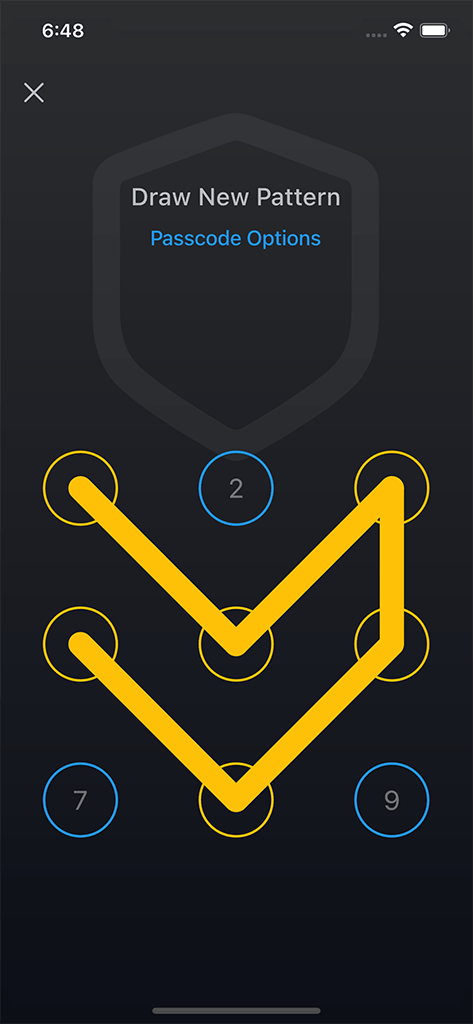
- Face ID, Touch ID, PIN, pattern, and combination lock choices where supported
- Decoy access
- Import, export, and local Wi-Fi browser transfer
- Optional encrypted backup and restore
The exact platform features, availability, and subscription terms can change. Verify them on the official Safety Photo+Video site, Apple App Store listing, and Google Play listing.
Make a defensible final choice
Score each candidate from 0 to 2 on storage clarity, lock behavior, privacy surfaces, export, backup, recovery, maintenance, support, and total cost. Eliminate any app with a zero for export or recovery unless you deliberately accept permanent local-only storage.
After choosing:
- Keep the test export.
- Document the backup and restore steps.
- Review settings after major updates.
- Maintain a second recovery copy for irreplaceable media.
- Recheck the app before a phone change or uninstall.
The strongest choice is not the app with the loudest promise. It is the one you have tested, can leave without losing data, and can recover when the phone is no longer available.
Frequently asked questions
What is the most important photo-vault feature?
Understandable storage and recovery behavior. A strong lock is not enough if you cannot export original files, verify a backup, or recover the library after a phone change.
Should I trust App Store or Google Play ratings?
Ratings are one input, not proof of security or reliability. Read recent critical reviews, check update history and support, and test the current app with non-sensitive media before committing.
Does Sixbytes rank Safety Photo+Video independently?
No. Sixbytes publishes Safety Photo+Video, so this guide discloses that relationship and provides a selection framework rather than presenting the product as the winner of an independent test.
About the author
The Sixbytes Team writes from product documentation and current platform guidance. Product-specific guides disclose the Sixbytes relationship and link to official sources when behavior can change by operating system, app version, or storefront.
About Sixbytes